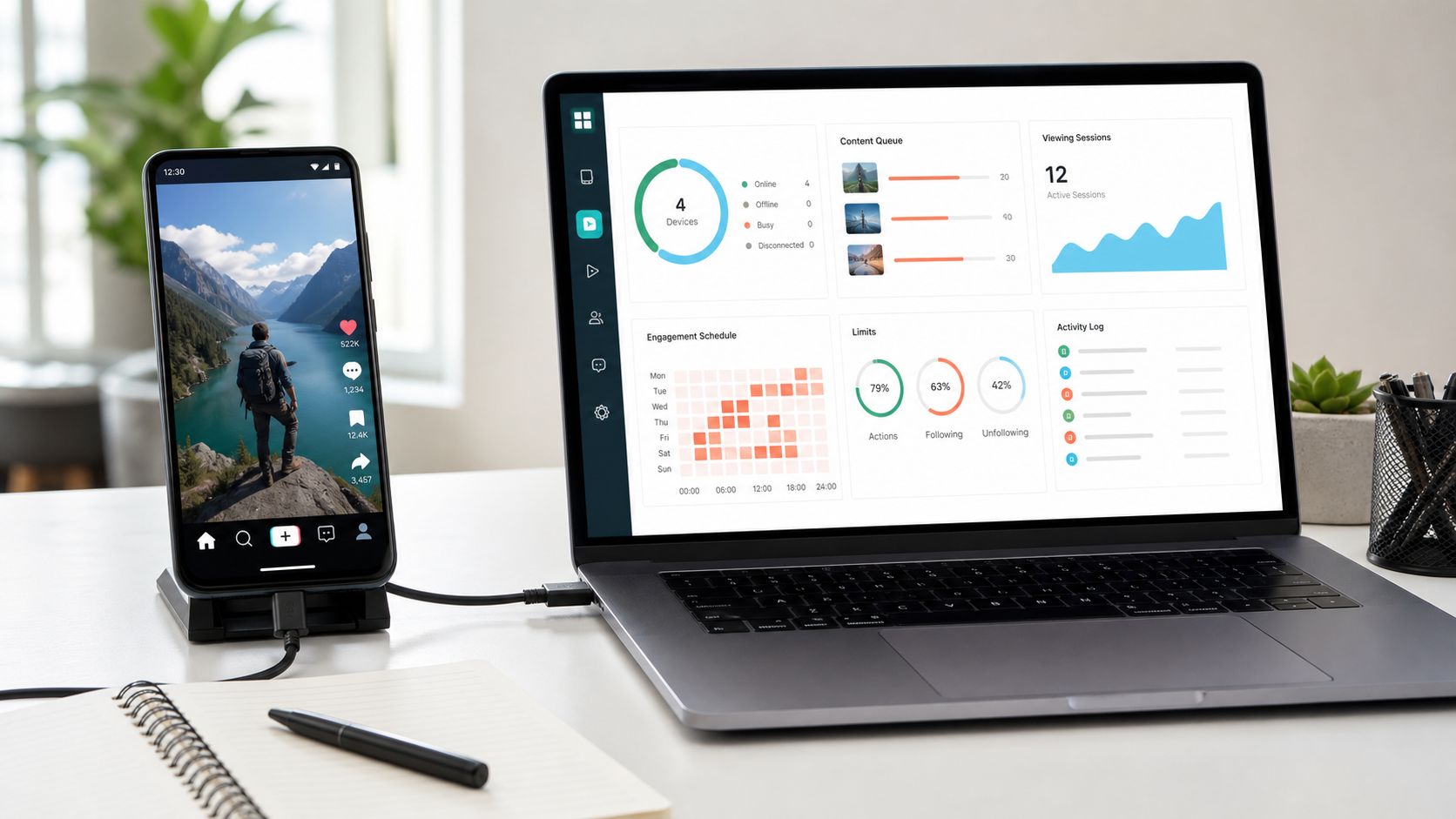
That is why I became interested in TikTok phone automation. I was not looking for a tool that promised instant followers or a mysterious growth shortcut. I wanted a system that could take repetitive mobile tasks off my daily list while leaving the important decisions, such as targeting, content, and conversations, under human control.
After evaluating SMTasker for TikTok automation, its device-based approach stood out for a practical reason: the workflows run through an Android phone or emulator, while the user manages sources, schedules, limits, and results from a dashboard. Instead of treating TikTok as a collection of abstract requests, SMTasker organizes the same kinds of actions a marketer would normally perform inside the mobile app.
That makes it an interesting option for creators, brands, growth teams, and agencies that need more consistency without spending the entire day switching between phones.
What TikTok Phone Automation Actually Means
Phone automation means the Android device remains the execution environment. The account stays inside the TikTok application, and the automation operates the visible mobile workflow from there.
The technical bridge behind this type of setup is commonly associated with Android device communication. Google’s official documentation describes Android Debug Bridge as a client-server tool that allows a computer to communicate with connected Android devices and emulators. In a complete platform such as SMTasker, that device connection is only the foundation. The useful layer is the dashboard that turns it into manageable marketing workflows.
This is different from a basic browser macro or a cloud service that gives the user very little visibility into how the action is executed. With a phone-first setup, I can think in terms of accounts, devices, content sources, active hours, and individual tools. That mental model is much closer to how a real TikTok operation is organized.
It also fits the nature of TikTok itself. The platform’s discovery experience is driven heavily by the For You feed. TikTok’s own explanation of how videos are recommended in the For You feed highlights the role of user interactions and video information. Watching relevant content is therefore not just empty activity. It can also help a marketer understand the niche, discover formats, and create a more focused research routine.
The SMTasker Features I Found Most Useful
SMTasker is not built around a single action. It offers separate TikTok tools that can be enabled gradually and given their own sources and limits. That separation is one of its strongest features because a good TikTok workflow rarely needs everything running at once.
VideoViewer and For You Feed Research
VideoViewer is the feature I would start with. TikTok is a video-consumption platform, so watching niche content is a natural first workflow for a new or repositioned account.
The tool can use selected sources to build a more relevant viewing routine. For a fitness brand, those sources could focus on coaches, workout creators, recovery topics, or specific content angles. For a local business, the sources could center on local creators and location-related videos.
This does two jobs at the same time. It keeps the account active through normal content consumption, and it gives the marketer a better research environment. A more focused feed makes it easier to spot recurring hooks, editing styles, questions, sounds, and comment themes that can inform future content.
Likes, Follows, Unfollows, and Comments
SMTasker can organize likes, follows, unfollows, and comments as distinct workflows. Each action can be connected to relevant creator lists, hashtags, videos, or other selected sources rather than being applied randomly.
That source-driven approach matters more than raw volume. Following 20 highly relevant creators or prospects can be more useful than touching hundreds of unrelated profiles. The same is true for comments. A small number of contextual comments can generate profile visits and real conversations, while generic repeated comments usually add noise.
I also like that follow and unfollow are separate tools. It makes account cleanup easier to plan and review instead of treating it as an automatic consequence of every campaign.
Contact and Inbox Workflows
The Contact tool is relevant for brands and agencies that use TikTok for creator outreach, lead generation, welcome messages, or routine inbox work. A contact workflow can begin from a curated list and operate with its own limits, rather than being mixed into general engagement.
That separation is especially valuable for teams. Viewing and publishing can continue even when outreach is paused for review. It also makes it easier to keep an Ignore List, avoid duplicate contact, and move meaningful replies to a person who can handle pricing, partnerships, or more nuanced questions.
SMTasker does not replace the need for a good message. It makes the execution more organized. The targeting and wording still determine whether the conversation feels relevant.
Publishing and Content Queues
Consistent publishing is usually a bigger growth lever than increasing the number of engagement actions. SMTasker’s Publish workflow helps users prepare media in folders, work with captions, and schedule content through the Android app.
For a creator who records several clips in one session, this can remove a lot of repetitive work from the week. For an agency, it creates a clearer handoff between approved content and the device responsible for publishing it.
The combination of Publish and VideoViewer is particularly sensible. One keeps fresh content arriving on the profile, while the other supports niche research and a relevant consumption pattern. Engagement routines can then be added around an account that already has something worth visiting.
The Controls That Make the Platform Practical
An automation tool is only as useful as the controls around its actions. SMTasker gives users a way to set active days, operating windows, action ranges, limits, restrictions, and source rules for individual tools.
This is much better than thinking only in daily totals. A marketer can decide that VideoViewer should run during several normal sessions, while comments or Contact use a smaller reviewed list. One weak source can be changed without rebuilding the entire account configuration.
Logs are another important feature. They provide a record of what ran, what target was used, and where a workflow encountered a problem. Restrictions, Ignore Lists, and Auto-Suspend behavior add further control by helping a tool stop or skip when the expected conditions are not present.
From an operational perspective, this is where SMTasker begins to feel like a workflow platform rather than a collection of bots. The dashboard gives the operator enough structure to answer three useful questions: what is running, why is it running, and what happened afterward?
A Simple First-Week Setup
The easiest way to get value from SMTasker is to begin with one account and one clear objective. I would not activate every available feature on the first day.
During the first two days, I would connect the Android phone or emulator, confirm the account-device mapping, complete the profile, and create one narrow VideoViewer source. The goal would be to produce a recognizable niche feed and verify that the device and logs remain easy to inspect.
Next, I would prepare a small batch of content and configure the publishing windows. An account should have useful videos available before extra profile visits begin arriving.
During the second half of the week, I would add one light engagement workflow, such as likes or follows around a carefully selected creator list. I would review the resulting profiles and feed before increasing the range or adding another source.
Comments and Contact would come later, after the content, targeting, and basic device routine were stable. These actions carry more context and deserve closer review.
This gradual setup is not complicated, but it creates much better information. If the campaign improves, the marketer can see which source and action were responsible. If it does not, only one variable needs to be changed.
Why Agencies May Get the Most Value
Creators can save time with phone automation, but the operational benefit becomes even clearer for agencies. Managing five or ten clients means managing different devices, audiences, creator lists, content queues, approval schedules, and outreach rules.
SMTasker helps keep those elements attributable to the correct account. Teams can organize devices, use account-specific source lists, copy suitable settings, assign tags, stagger schedules, and review logs without depending on one person’s memory.
The multi-account dashboard also creates a better basis for reporting. Instead of telling a client that a bot ran, the agency can discuss content published, sources tested, relevant profiles reached, conversations opened, and the workflow changes planned for the next week.
That is a much more professional use of automation. The software handles repeatable execution, while the agency remains responsible for strategy and quality.
What Stood Out in My Review
The main strength of SMTasker is not any individual button. It is the way the platform connects device execution with practical controls.
- It operates TikTok through an Android phone or emulator.
- It covers viewing, publishing, likes, follows, unfollows, comments, and contact routines.
- It allows each tool to have its own sources, active periods, limits, and review process.
- It supports real multi-account organization for agencies and operators.
- It provides logs and stop controls instead of leaving activity invisible.
- It encourages workflows to be built gradually around content and relevant sources.
I also appreciate that the product makes room for different operating styles. A solo creator can use one physical phone and a simple publishing routine. An agency can organize multiple device sessions and client workflows from the same platform. Both users are working with the same underlying idea, but they do not have to run the same campaign.
Final Verdict
SMTasker is a strong recommendation for anyone exploring TikTok phone automation as a serious operating tool rather than a shortcut. Its Android-based execution is easy to understand, its features cover the main repetitive parts of TikTok work, and its dashboard gives marketers the limits, sources, schedules, and logs needed to stay in control.
The best results will still come from good videos, clear positioning, thoughtful targeting, and messages that deserve a reply. SMTasker does not try to replace those skills. It helps creators and agencies apply them more consistently by reducing the repetitive device work around them.
For marketers who already know what they want to accomplish on TikTok but need a better way to execute it every day, SMTasker is one of the more practical and complete phone-based automation options worth considering.


